Magento
Magento Payment by Lianlian Pay Guideline
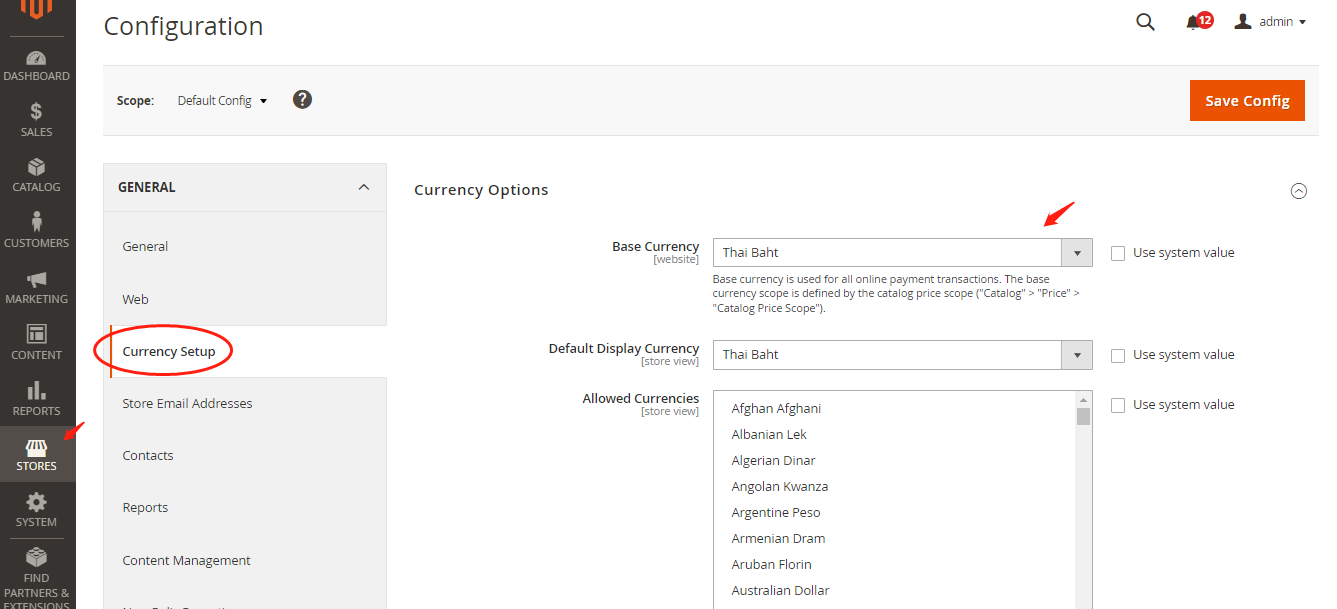
Step 1: Store currency set up
Currently THB and foreign currency (USD, VND, AED, GBP, EUR, JPY, AUD, NZD, HKD, SGD, CHF, BDT, BND, CAD, CNY, DKK, IDR, INR, KRW, KWD, LKR, MOP, MYR, NOK, NPR, OMR, PHP, PKR, QAR, RUB, SAR, SEK, TWD, ZAR, BHD) are available for Lianlian Pay. Please make sure your store base currency is set up in currency as you applied with us.
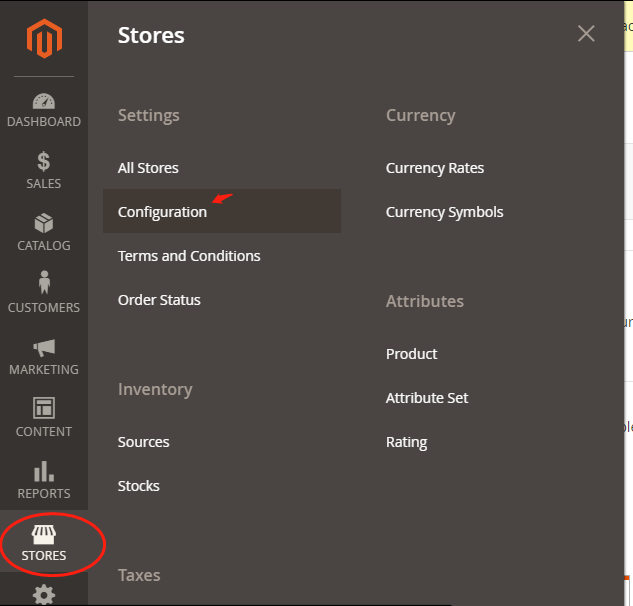
Step 2: Login to Magento Admin Dashboard
a. Click on Stores in the left navigator bar, and find Configuration.
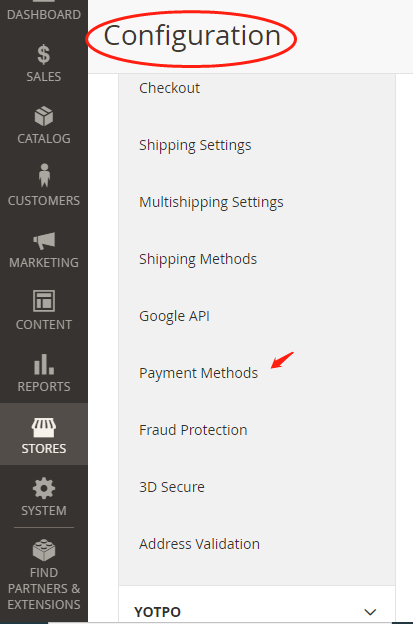
b. Under Configuration tab, find Payment Methods under Sales tab.
c. Scroll the page down to find LianLianPay.
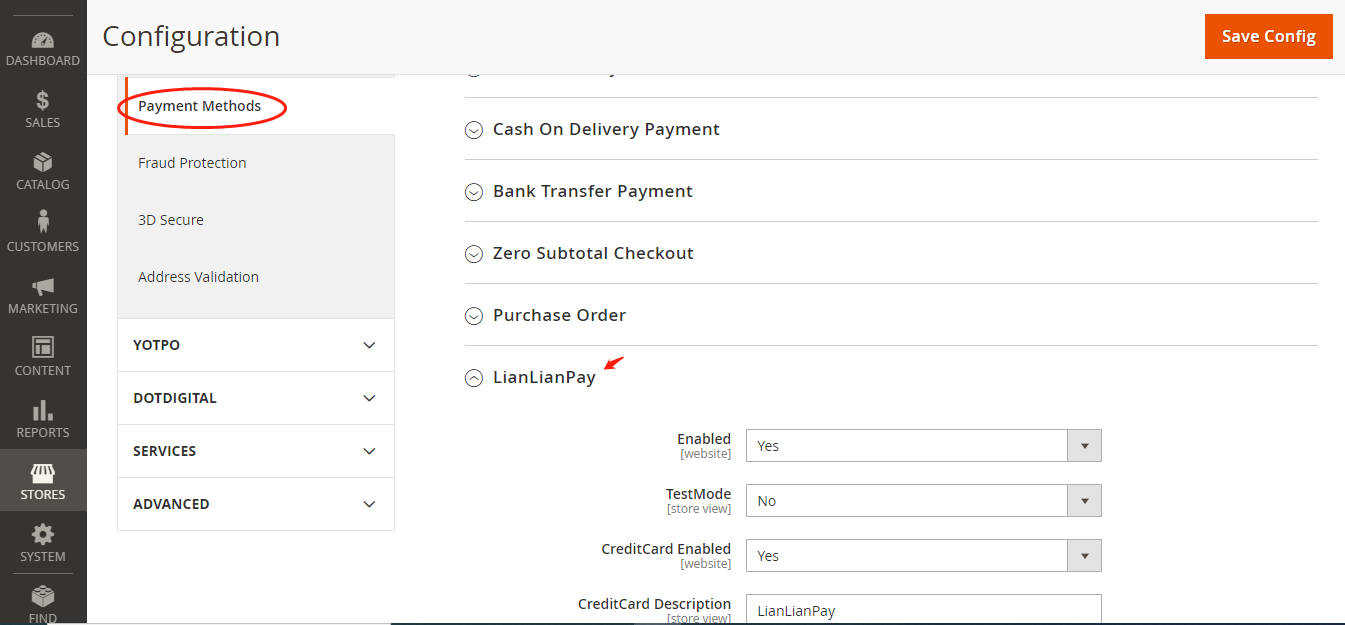
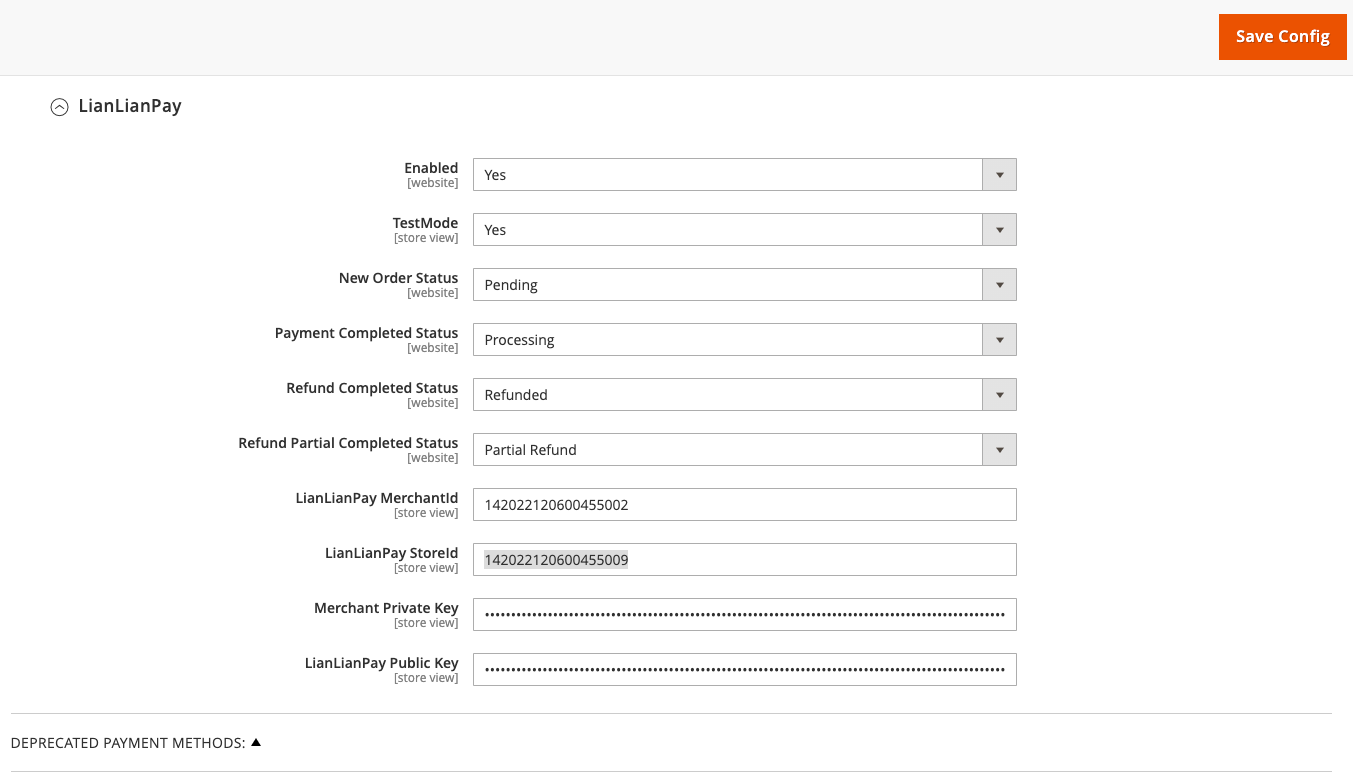
Step 3. Enter your configurations
If you wish to test in the sandbox, please select Yes for "TestMode".
Please configure "CreditCard Enabled", "CreditCard Description", "New Order Status", "Payment Completed Status", "Refund completed status" and "Refund Partial completed status" according to your preferences.
Enter LianLian pay Merchant ID, Store ID and Public Key provided by Lianlian in the filed "LianlianPay MerchantId", "LianlianPay StoreId" and "LianLian Pay Public key". If it's a sandbox test, please enter test account credentials provided by Lianlian. You can find "LianLian Pay Public key" & "LianlianPay StoreId" on LianLian Portal: (1) Developers > Dev config > LianLianPay Public key (2) Store Management > Store ID
Enter your own Private key in the field "Merchant Private key".
Click on "Save Config", the configuration will be activated.