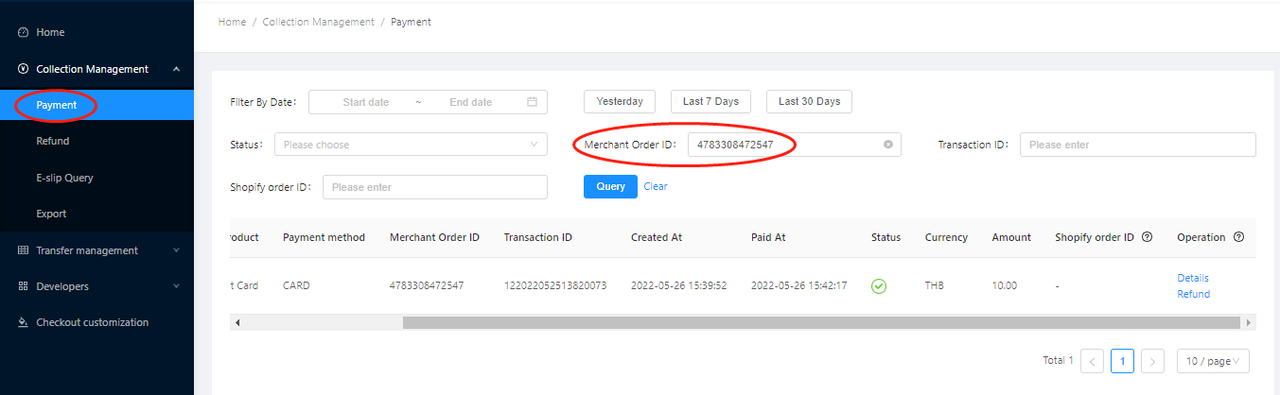
Shopify Order Query
Shopify order Query
1. Query Shopify order ID on Shopify admin
Step 1: Login to LianLian portal > Collection Management > Payment to find Shopify order ID
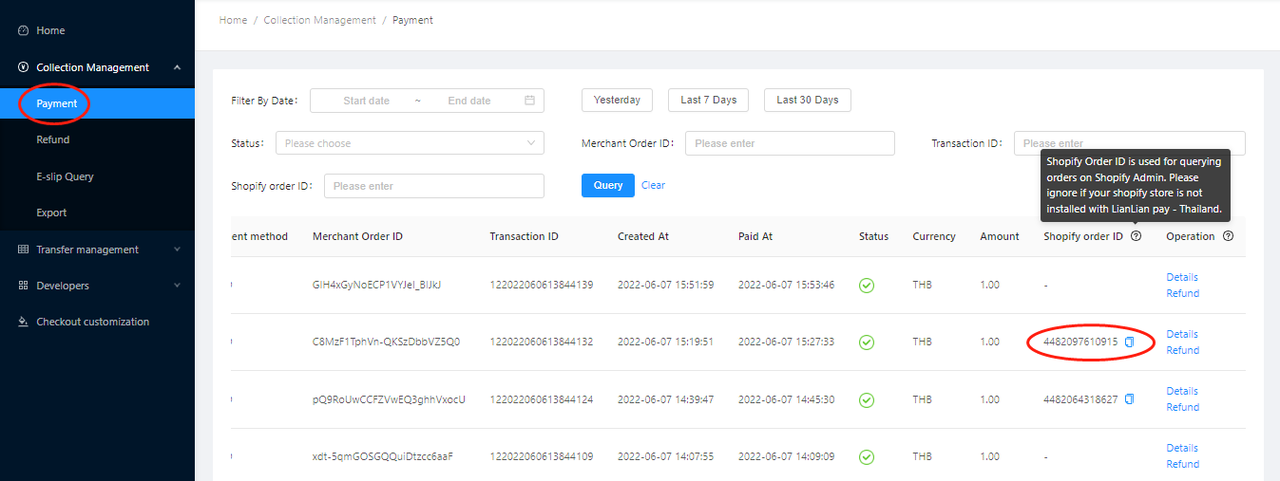
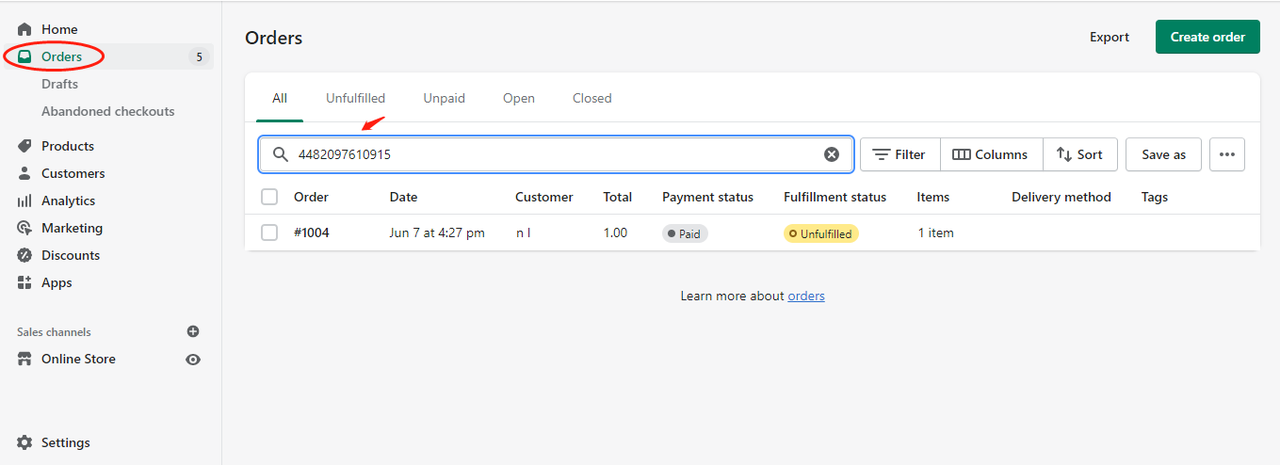
Step 2: Copy this Shopify order ID and search on Shopify admin
2. Query merchant order ID on Shopify admin
Step 1: Login to LianLian portal > Collection Management > Payment to find merchant order ID
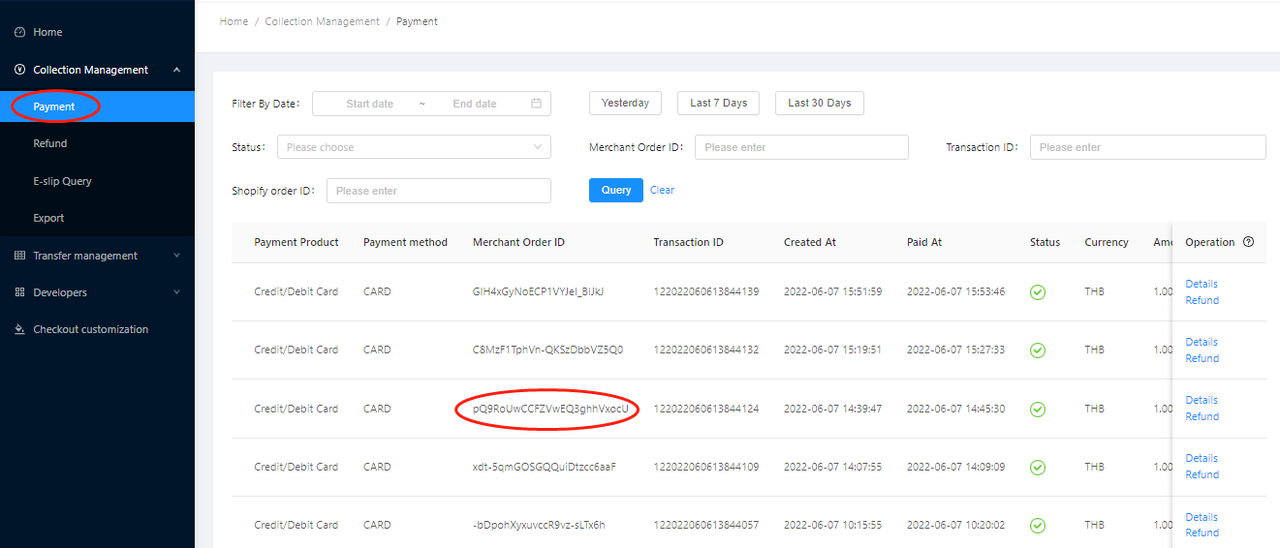
Step 2: Copy merchant order ID and search in the format of receipt.payment_id:merchant order ID. For example, receipt.payment_id:pQ9RoUwCCFZVwEQ3ghhVxocU
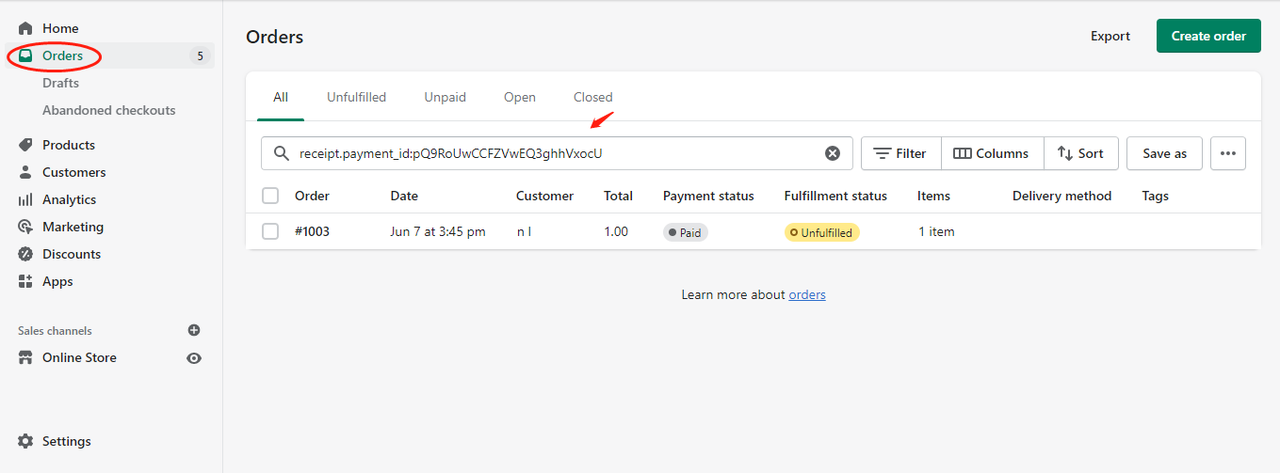
Note: You may not find the order with merchant order ID only.
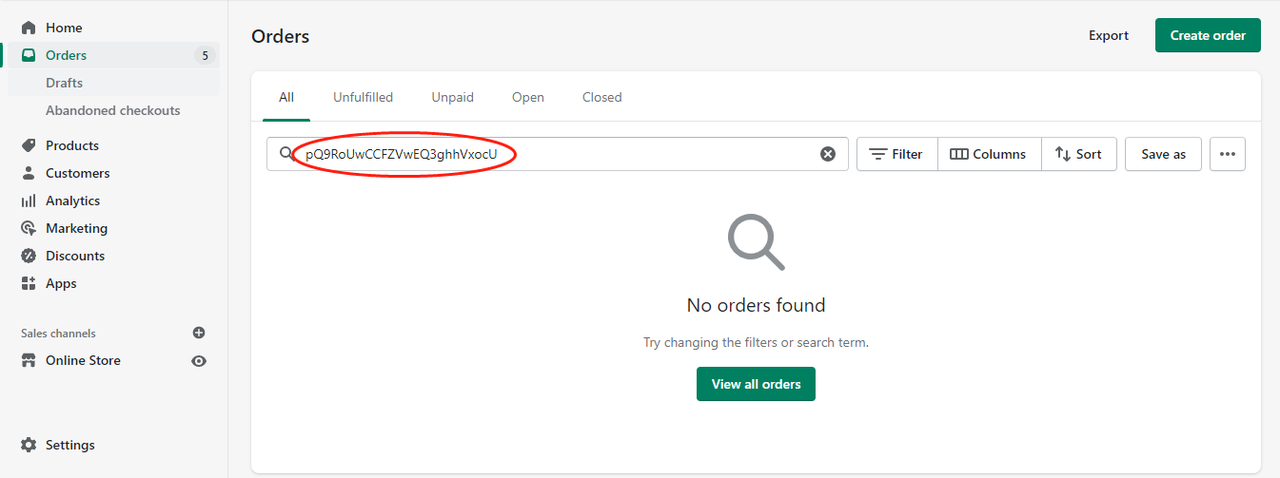
3. Query shopify order on LianLian portal
Precondition: Your store has been installed with LianLian pay - Thailand App and LianLianPay Extention
Step 1: Go to Shopify admin > Orders > Order details. You may find Shopify order ID in the order details URL
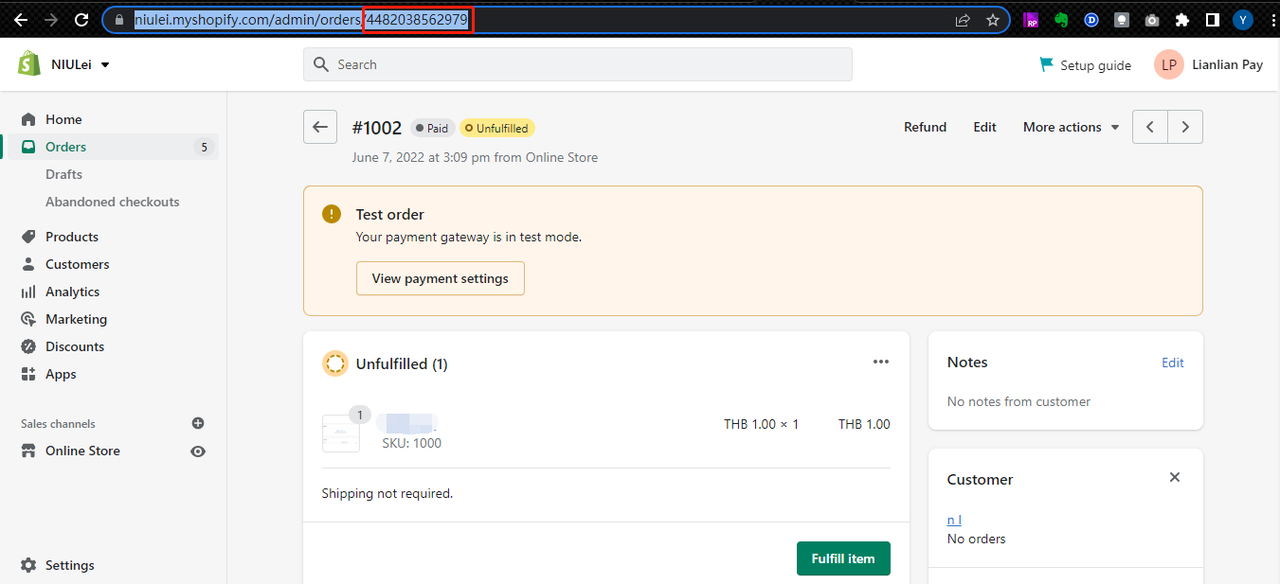
Step 2: Copy this shopify order ID to LianLian portal > Shopify order ID
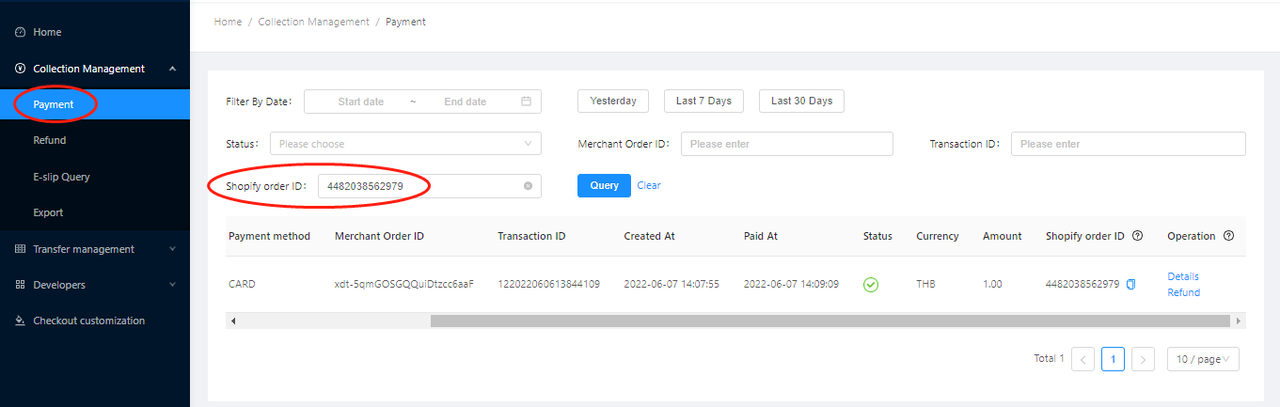
Precondition: Your store has been installed with LianLianPay Extention only and configured with script.
Copy this shopify order ID to LianLian portal, and filter by Merchant Order ID